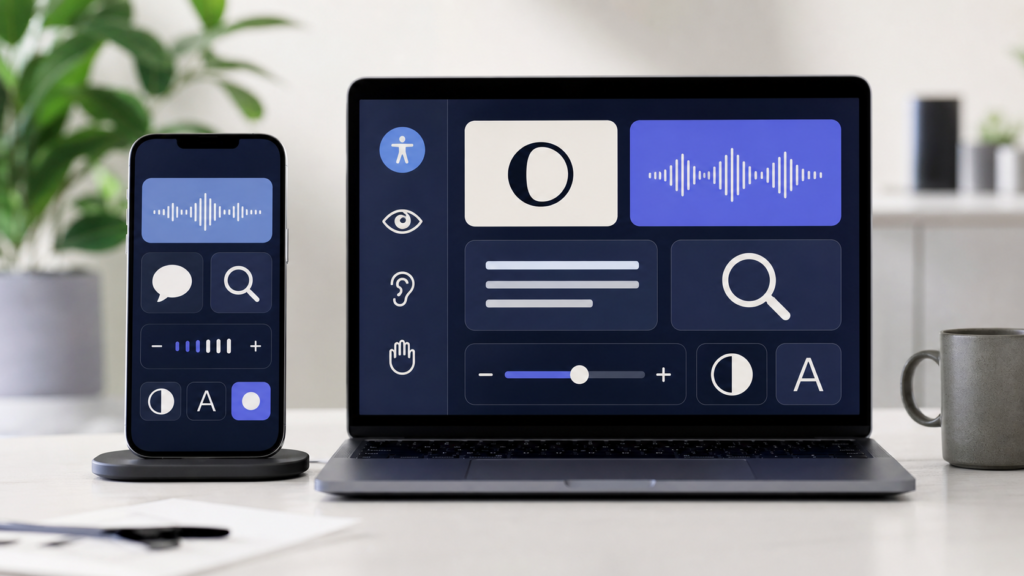
Apple accessibility features are getting a major Apple Intelligence upgrade across iPhone, iPad, Mac and Apple Vision Pro. Apple has previewed new tools designed to make everyday tasks easier for people who use VoiceOver, Magnifier, Voice Control and Accessibility Reader, while also showing how on-device intelligence can make assistive technology more practical.
The timing matters because Apple’s software roadmap is already focused heavily on AI. After WWDC 2026, many users are watching Siri AI and broader Apple Intelligence changes, but accessibility may be one of the clearest examples of AI becoming genuinely useful rather than just flashy. This guide explains what has been confirmed, why it matters and whether everyday Apple users should pay attention.
What Apple announced
In an official Apple Newsroom preview, Apple said Apple Intelligence will bring more capable descriptions and natural language navigation to key accessibility experiences including VoiceOver, Magnifier, Voice Control and Accessibility Reader. Trusted Apple-focused reports from MacRumors, 9to5Mac and The Verge also highlighted the same broad direction: Apple is using AI to help users better understand what is on screen, what is in front of the camera and what actions they can take.
These are confirmed accessibility previews from Apple, not rumours. As with many Apple software features, exact availability can still depend on device support, language support, region and final software release timing.
Why Apple accessibility features matter
Accessibility features are often built for specific needs, but they regularly become useful for everyone. Voice Control can help when your hands are busy. Magnifier can help read small labels. Larger text, captions and spoken descriptions can make a device easier to use in noisy, bright or stressful environments.
The bigger shift is that Apple Intelligence accessibility features may make these tools more contextual. Instead of only reading a button label or zooming into an object, the device can provide richer descriptions, understand natural language instructions and help users navigate information more easily.
Key upgrades to watch
VoiceOver with richer descriptions
VoiceOver is already one of Apple’s most important accessibility tools. The new Apple Intelligence direction points to more detailed descriptions of images, documents and interface elements. For users who are blind or have low vision, that could make photos, receipts, screenshots and app screens easier to understand without waiting for every developer to manually label every visual detail.
Magnifier with smarter visual help
Magnifier is useful for reading menus, labels, signs and fine print. Reports say the Apple Intelligence update will make Magnifier more descriptive and easier to control, including support for spoken actions such as zooming or turning on the flashlight. That could be especially helpful on iPhone because it combines the camera, display and accessibility controls in one device.
Voice Control with natural language
Voice Control becomes more powerful when users do not need to remember exact command phrases. Apple’s preview points to more natural language navigation, meaning users may be able to describe what they want to do in a more conversational way. That is important for people with motor disabilities, but it could also help anyone who prefers hands-free control.
Accessibility Reader and Vision Pro updates
Accessibility Reader is designed to make reading easier with customisable text presentation. Apple has also previewed advanced accessibility work around Vision Pro, including features connected to power wheelchair control. Those Vision Pro capabilities will be more specialised, but they show how Apple is thinking beyond the iPhone and Mac.
How this affects iPhone, iPad, Mac and Apple Watch users
For iPhone users, the most visible changes are likely to be around camera-based help, VoiceOver descriptions and voice-driven controls. iPad and Mac users may benefit from better navigation and reading support, especially for school, work and creative tasks. Apple Watch users should also keep an eye on accessibility improvements that tie into captions, audio feedback and quick interactions.
If you are already following Apple’s AI direction, this topic connects closely with broader software changes. You may also want to read our recent guides on Apple Intelligence supported devices in iOS 27 and Siri AI changes at WWDC26.
Should users take action now?
Most users do not need to change anything today. These features are previewed for upcoming Apple software, and some may require supported devices with Apple Intelligence capability. If you rely on accessibility features every day, it is worth watching Apple’s official release notes before installing major updates, especially beta software.
For everyday users, the best preparation is simple: keep your device backed up, check whether your iPhone, iPad or Mac supports Apple Intelligence, and review accessibility settings after major software updates. If you depend on a specific workflow, avoid installing developer beta software on your main device unless you are comfortable with bugs.
Final thoughts
The most interesting part of these Apple accessibility features is not that they use AI. It is that they use AI for practical, human problems: reading information, understanding images, navigating screens and controlling devices more naturally. If Apple delivers these features smoothly, accessibility could become one of the strongest real-world examples of Apple Intelligence.
FAQs
What are the new Apple accessibility features?
Apple has previewed Apple Intelligence updates for VoiceOver, Magnifier, Voice Control and Accessibility Reader, including richer descriptions and more natural navigation.
Are these iOS 27 accessibility features confirmed?
The accessibility updates were previewed by Apple, so the broad direction is confirmed. Exact availability may vary by device, language, region and final software release.
Will Apple Intelligence accessibility features work on every iPhone?
Not necessarily. Apple Intelligence features usually require supported hardware, so users should check Apple’s official compatibility details before relying on a specific feature.
Should I install beta software to try them?
Only if you understand the risks. Developer and public betas can include bugs, so most users should wait for stable software on their main iPhone, iPad or Mac.
Sources: Apple Newsroom, MacRumors, 9to5Mac, The Verge.
Leave a Reply