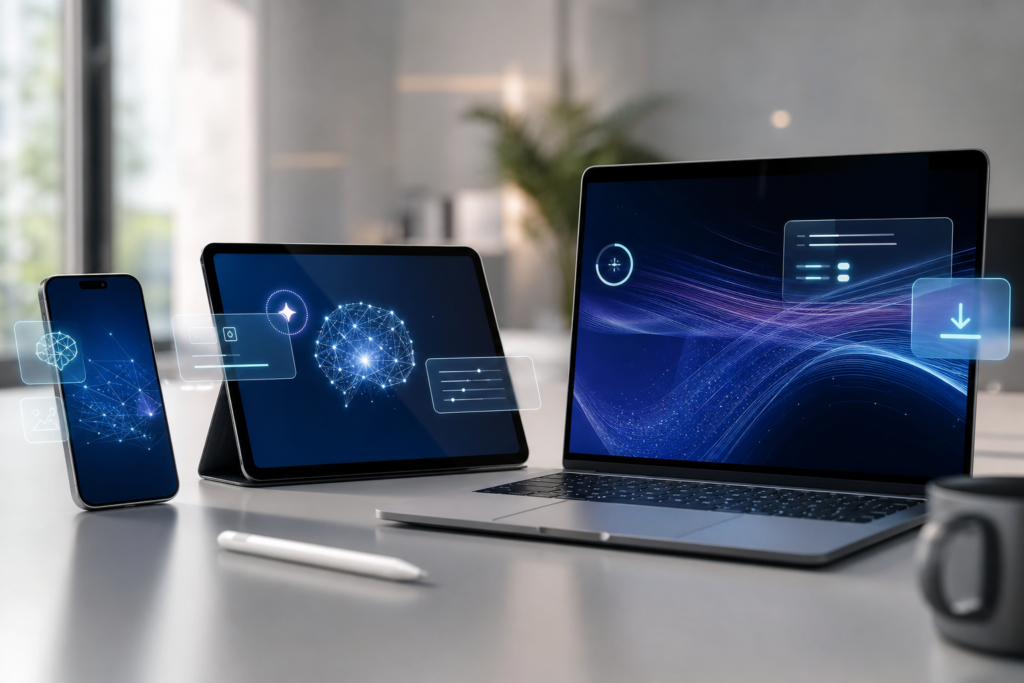
Apple Intelligence supported devices are now one of the biggest questions for Apple users after WWDC 2026. Apple has previewed the next wave of Apple Intelligence and Siri AI features for iOS 27, iPadOS 27, macOS 27, watchOS 27 and visionOS 27, but not every device that receives the next software update will get every AI feature.
That distinction matters. An older iPhone may still run the latest iOS release, while the most advanced on-device AI tools can require newer chips and more memory. If you are deciding whether to install a beta, wait for the public release, or upgrade your device, compatibility should be the first thing you check.
This guide explains what Apple has confirmed, what trusted reports say about compatibility, and how everyday iPhone, iPad, Mac, Apple Watch and Vision Pro users should think about the update. For more WWDC context, read our coverage of Apple Intelligence and Siri AI at WWDC26 and App Store changes at WWDC 2026.
What Apple announced for Apple Intelligence
Apple’s official newsroom says the next generation of Apple Intelligence is designed to bring more capable AI experiences into everyday tasks across iPhone, iPad, Mac, Apple Watch and Vision Pro. Apple also says users who enable Apple Intelligence on supported products and supported languages will get access with the fall software releases, including iOS 27, iPadOS 27, macOS 27, watchOS 27 and visionOS 27.
The headline feature is Siri AI, a more capable assistant experience available for developer testing through the Apple Developer Program. Apple is positioning the update as a system-wide improvement rather than a single app feature: assistance, writing, communication and contextual actions should feel more useful across the devices people already use every day.
Apple Intelligence supported devices: the key point
The key point is simple: software update support and Apple Intelligence support are not always the same thing. A device may run iOS 27 or iPadOS 27, but some Apple Intelligence features can still be limited to newer hardware.
Trusted WWDC reporting indicates that Apple Intelligence remains focused on modern Apple silicon. Engadget’s compatibility summary says Apple Intelligence is expected on iPhone 16 models or later, iPhone 15 Pro and iPhone 15 Pro Max, iPad mini with A17 Pro, iPad models with M1 or later, Macs with M1 or later, Apple Vision Pro, and selected newer Apple Watch models when paired appropriately. Macworld and other guides similarly note that older iPhones may miss Apple Intelligence features even if they can install the broader iOS update.
Why compatibility matters for Apple users
Apple Intelligence features are not just cosmetic. They can affect how users write messages, summarise information, search for context, interact with Siri, and move between apps. If these tools become part of the normal Apple experience, buying a device without support could feel limiting sooner than expected.
Unsupported devices are not suddenly bad. Many older iPhones, iPads and Macs will still be excellent for calls, browsing, photos, banking, messaging, streaming and work. Security updates and standard software improvements can still matter more than AI for many people. But if you keep a phone for three to five years, Apple Intelligence compatibility is now a real buying-guide factor.
What this means for iPhone users
For iPhone users, the biggest question is whether your model supports the Apple Intelligence features you actually want. If you own an iPhone 15 Pro, iPhone 15 Pro Max, or a newer iPhone, you are in the best position for the iOS 27 Apple Intelligence cycle. If you use an older iPhone, you may still receive useful iOS 27 changes, but the more advanced Siri AI and Apple Intelligence tools may not be available.
Before upgrading purely for AI, wait for the public release notes and early reviews. Developer betas can be unstable, and some features may launch gradually by region, language, or device class. Australian users should also check local language availability and whether all features are enabled in Australia at launch.
What this means for iPad, Mac and Apple Watch
For iPad and Mac owners, Apple silicon is the main compatibility clue. iPads with M1 or later chips and Macs with M1 or later are the models most closely aligned with Apple Intelligence. That includes many MacBook Air, MacBook Pro, iMac, Mac mini and iPad Pro models released over the last few years.
Apple Watch support is more nuanced because many AI experiences depend on the paired iPhone and the watch model. If you are buying an Apple Watch in 2026 and want the best chance of long-term Apple Intelligence integration, newer models such as Apple Watch Series 10 or later and Apple Watch Ultra 2 or later are safer options based on current reporting.
Should you update or upgrade?
If your device is eligible for iOS 27, iPadOS 27 or macOS 27, most users should eventually update after the public release, especially once early bugs are resolved. Updates often include security improvements, bug fixes and app compatibility changes beyond the headline AI features.
However, do not install a developer beta on your main iPhone unless you are comfortable with bugs, battery drain, app issues and possible data problems. Back up your device first, check Apple’s official release notes, and wait for a public beta or stable release if you rely on your device for work, travel or payments.
As for upgrading hardware, Apple Intelligence alone is a strong reason only if you know you will use AI features often. If your current iPhone or Mac is fast and reliable, waiting may be smarter. If you were already planning to upgrade, choose a model that clearly supports Apple Intelligence so it stays useful for longer.
Final thoughts
Apple Intelligence supported devices will shape the Apple upgrade conversation throughout 2026. Apple’s new AI features look more deeply connected to iOS 27, iPadOS 27, macOS 27, watchOS 27 and visionOS 27, but compatibility still depends heavily on newer hardware.
Practical advice: check your exact model before getting excited about a feature, avoid installing betas on essential devices, and treat Apple Intelligence support as an important factor in your next iPhone, iPad, Mac or Apple Watch purchase.
FAQs
Will every iPhone with iOS 27 get Apple Intelligence?
No. A device may receive iOS 27 but still miss some or all Apple Intelligence features if it does not meet Apple’s hardware requirements.
Which iPhones are safest for Apple Intelligence?
Based on Apple’s direction and trusted WWDC reporting, iPhone 15 Pro, iPhone 15 Pro Max, iPhone 16 models and newer iPhones are the safest options.
Do Macs need Apple silicon for Apple Intelligence?
For the main Apple Intelligence experiences, Macs with M1 or later chips are the practical baseline. Intel Macs may still receive other software improvements depending on Apple’s support list.
Should I install the iOS 27 developer beta?
Most everyday users should wait. Developer betas are meant for testing and can include bugs, battery issues and app compatibility problems.
Where can I check official Apple details?
Start with Apple’s official Newsroom announcements and Apple’s software release notes when the public updates are available.
Sources: Apple Newsroom on Apple Intelligence, Apple Newsroom on Siri AI, Engadget WWDC 2026 summary, and Macworld iOS 27 guide.
Leave a Reply