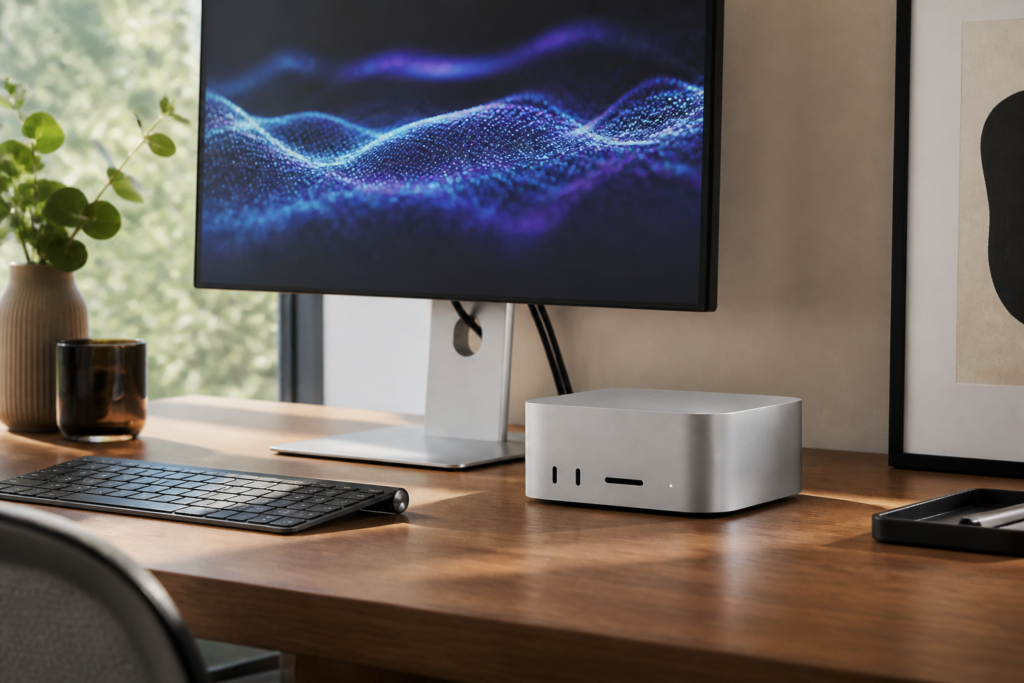
Apple’s M6 Mac mini is official, bringing faster CPU and graphics performance, a major boost for on-device AI, and upgraded networking to Apple’s smallest desktop. Announced on 25 August 2026, the new range offers a standard M6 model for everyday and creative work, plus an M5 Pro option aimed at developers, video professionals and other demanding users.
Pre-orders are open in Australia, with availability beginning on 22 September. Here is what changed, who should consider upgrading, and what buyers should check before placing an order.
What is new in the M6 Mac mini?
The headline change is Apple’s new M6 chip. According to Apple’s official announcement, the M6 configuration has a 12-core CPU and 12-core GPU, adding two CPU cores and two GPU cores compared with the previous M4 model. Apple claims up to 40 percent faster CPU performance, twice the graphics performance and up to four times faster AI performance, depending on the workload.
The M6 GPU now includes Neural Accelerators in every core, while a dual 16-core Neural Engine handles machine-learning tasks. The base configuration retains 16GB of unified memory, with options up to 32GB, and memory bandwidth rises to 170GB/s.
Apple is also offering a Mac mini with M5 Pro. It can be configured with up to an 18-core CPU, 20-core GPU and 64GB of unified memory, backed by 307GB/s of memory bandwidth. This model is designed for heavier tasks such as app development, 3D rendering, video production, large local AI models and scientific work.
M6 Mac mini specifications at a glance
- M6 model: 12-core CPU, 12-core GPU and dual 16-core Neural Engine
- M6 memory: 16GB standard, configurable up to 32GB
- M5 Pro model: Up to an 18-core CPU and 20-core GPU
- M5 Pro memory: Configurable up to 64GB
- Wireless: Wi-Fi 7 and Bluetooth 6 on both models
- Ethernet: 2.5Gb Ethernet standard, with a 10Gb option
- Ports: Two front USB-C ports, HDMI, Ethernet and three rear Thunderbolt ports
- Availability: Pre-order now; available from 22 September 2026
The M6 version uses Thunderbolt 4, while the M5 Pro model gets Thunderbolt 5. Both retain the compact enclosure introduced with the previous generation, so the upgrade is mostly about performance and connectivity rather than a redesign.
Why the AI performance matters
Apple is positioning the new Mac mini as a compact machine for local AI. That does not only mean Apple Intelligence. Faster neural hardware can help apps process language models, upscale images, apply visual effects and automate tasks without sending every job to a cloud service.
Apple says M6 can process prompts in LM Studio up to 4.8 times faster than the M4 Mac mini in its testing. Those figures are vendor benchmarks and real-world results will vary, but the architectural changes should be useful to developers and creators already running supported AI tools locally.
The M5 Pro configuration is the more practical choice for large models because it offers up to 64GB of unified memory. Memory cannot be upgraded later, so buyers interested in local AI should prioritise RAM over extra internal storage where budget forces a choice.
Connectivity is a meaningful upgrade
Wi-Fi 7, Bluetooth 6 and standard 2.5Gb Ethernet make the new Mac mini better suited to fast home networks, studios and small offices. A configurable 10Gb Ethernet port remains useful for editors working from network-attached storage.
The M5 Pro model’s Thunderbolt 5 ports provide more bandwidth for high-speed storage, displays and professional accessories. Apple also added genlock support through USB-C for synchronising video equipment, including a compatible iPhone camera. Everyday buyers may not need these features, but they broaden the mini’s role beyond a basic desktop.
Who should buy the M6 or M5 Pro model?
Choose the M6 Mac mini if you:
- Need a fast general-purpose Mac for home, study or office work
- Edit photos or occasional video without a heavy professional workflow
- Want strong performance in a small, quiet desktop
- Plan to experiment with modest on-device AI models
Choose the M5 Pro Mac mini if you:
- Compile large software projects or run virtual development environments
- Edit high-resolution video, create 3D content or use demanding plug-ins
- Need Thunderbolt 5 or more than 32GB of unified memory
- Expect to run larger local AI models or memory-heavy datasets
Remember that a Mac mini purchase does not include a monitor, keyboard or mouse. Australian buyers moving from a laptop should include those accessories in the total budget. Apple’s Australian Mac mini store lists current configurations and local ordering details.
Should M4 Mac mini owners upgrade?
For most M4 owners, probably not. The M4 Mac mini remains a capable desktop, and everyday browsing, office work and media playback are unlikely to feel four times faster. Apple’s largest gains focus on particular AI and graphics workloads rather than every task.
The upgrade makes more sense if your current system regularly runs out of memory, if Thunderbolt 5 is essential, or if your work directly benefits from faster local AI processing. Owners of an M1 or Intel Mac mini will see a much broader improvement across performance, ports and software features.
If you are comparing other possible M6 desktops, our M6 iMac rumours guide explains what has been reported, but unlike the Mac mini, that product remains unconfirmed.
Pros and cons
Pros: Substantial AI and graphics gains, faster networking, compact design, and a powerful M5 Pro option with Thunderbolt 5.
Cons: No included display or input devices, memory and storage cannot be upgraded later, and recent M4 owners may see limited value from upgrading.
Final thoughts
The M6 Mac mini is a focused performance update that keeps the proven compact design while improving the areas that matter for modern creative and AI workloads. The standard M6 model should suit most buyers, while M5 Pro is the sensible step-up for professionals who need more memory, GPU power and Thunderbolt 5. Before ordering, choose memory carefully and compare the complete setup cost, not only the computer.
FAQs
When is the M6 Mac mini available in Australia?
Apple opened pre-orders on 25 August 2026, and the new Mac mini is scheduled to become available from 22 September 2026.
Does the M6 Mac mini support Wi-Fi 7?
Yes. Both the M6 and M5 Pro Mac mini models support Wi-Fi 7, Bluetooth 6 and standard 2.5Gb Ethernet.
How much memory can the new Mac mini have?
The M6 model can be configured with up to 32GB of unified memory. The M5 Pro model supports up to 64GB.
Is the M6 Mac mini better than the M5 Pro model?
Not for every workload. M6 is newer and ideal for mainstream use, while M5 Pro offers more CPU and GPU cores, higher memory capacity and Thunderbolt 5 for demanding professional tasks.
Should I replace an M4 Mac mini?
Most M4 owners can wait. Upgrade only if the faster AI processing, additional memory, improved networking or Thunderbolt 5 on the M5 Pro version solves a specific limitation in your current setup.
Leave a Reply