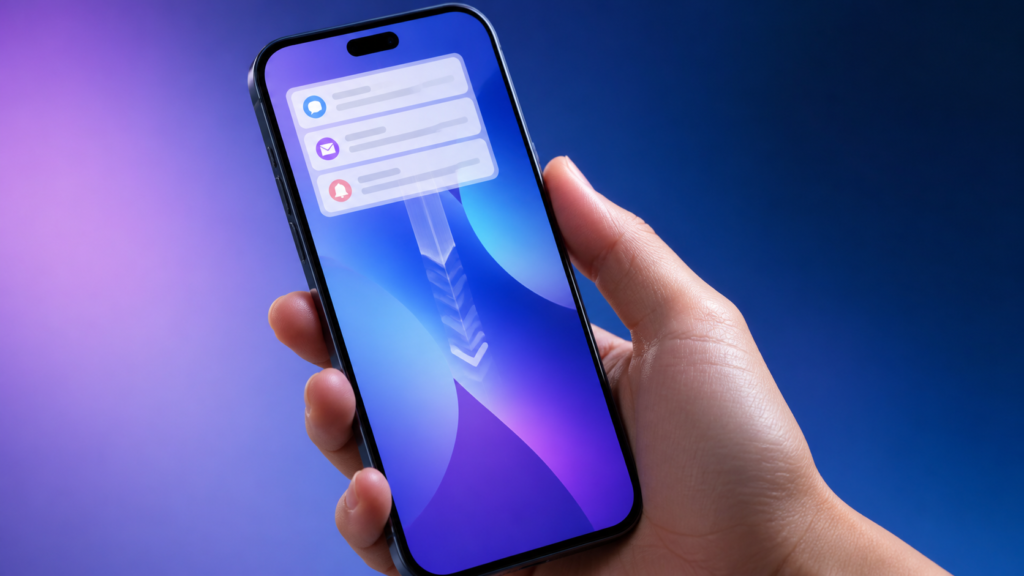
iOS 27 Notification Center gesture changes are prompting beta testers to relearn one of the iPhone’s most familiar swipes. Reports from people using Apple’s pre-release software say that, on supported configurations, swiping down from the top centre can open a new “Search or Ask” experience tied to Siri AI, while Notification Center moves to a swipe from the top-left corner.
That sounds small, but it affects a gesture many people use dozens of times a day. Here is what appears to be changing, why Apple may be making the move, and what iPhone users should do before iOS 27 reaches its final release.
Beta note: iOS 27 remains pre-release software. The gesture behaviour described below is based on current beta testing and credible reporting, not a final Apple guarantee. Apple can modify or remove it before the public release.
What is the iOS 27 Notification Center gesture change?
Since iOS 5, iPhone users have generally opened Notification Center by swiping down from the top edge. In the current iOS 27 beta cycle, the screen area where that swipe begins matters more:
- Top-left swipe: opens Notification Center on configurations using the new gesture layout.
- Top-centre swipe: can open the Siri AI “Search or Ask” interface rather than notifications.
- Top-right swipe: continues to open Control Center.
MacRumors reported that notifications also animate from the left side in iOS 27, matching the new top-left entry point. 9to5Mac’s beta testing adds an important qualification: the default behaviour can depend on the device and whether Siri AI features are available. On some iPhones, the familiar centre swipe may remain unchanged.
Why Apple is changing a familiar iPhone swipe
The likely reason is space. Apple is giving Siri AI a more prominent role in iOS 27, and the top-centre gesture provides quick access without adding another Home Screen icon or hardware shortcut. Apple’s official iOS 27 preview describes Siri AI as a conversational assistant with a dedicated app, personal-context search, app actions and broad knowledge features.
Separating three common actions across the top edge creates a logical map: notifications on the left, intelligent search in the centre and controls on the right. The trade-off is immediate discoverability. Existing users may instinctively swipe from the middle and wonder where their notifications went.
Which iPhones may get the new gesture?
Apple says iOS 27 itself supports iPhone 11 and later, including the second-generation iPhone SE and newer. However, not every iOS 27 feature works on every compatible model. Siri AI relies on Apple Intelligence hardware and is initially arriving in supported languages and regions.
That means the Notification Center change may not be identical across the entire compatibility list. If an iPhone does not offer the new Siri AI entry point, Apple has less reason to reassign the centre swipe. Beta reports indicate that users should check the behaviour on their own device rather than assume every iPhone follows the same gesture map.
For a broader look at device requirements, see our guide to Apple Intelligence supported devices in iOS 27.
How to open Notification Center in iOS 27
On an iPhone with the new Siri AI gesture
- Place your finger at the very top-left edge of the display.
- Swipe down in one smooth motion.
- If Siri AI opens instead, begin farther to the left and try again.
On an iPhone without the changed layout
Swipe down from the top-centre area as usual. Control Center should still be available by swiping from the top-right. Because iOS 27 is in beta, Apple may adjust the boundaries between these gesture zones in later builds.
Why the change matters for everyday users
The biggest issue is muscle memory rather than complexity. One-handed use may also feel different, especially on larger iPhones. A right-handed user can comfortably reach the top-right for Control Center, but reaching the top-left often requires shifting grip or using Reachability.
There is also a support challenge. Two people running iOS 27 could see different results from the same swipe if only one has access to Siri AI. Clear onboarding will be important when Apple ships the final update.
On the positive side, the centre gesture could make Siri AI faster to reach than opening an app. Users who frequently search messages, mail, photos or general information may value that shortcut once it becomes familiar.
Should you install the iOS 27 beta to try it?
Most people should wait for the finished release, particularly if they rely on one iPhone for work, banking, travel or authentication. Beta software can cause battery drain, app compatibility problems, unexpected restarts and interface changes that do not survive to launch.
If you still want to test it, enrol only through the official Apple Beta Software Program. Back up your iPhone first, confirm that important apps work with the beta, and be prepared for the possibility of restoring the device. Apple also provides official instructions for removing iOS beta software.
You can also read our existing iOS 27 public beta installation guide before deciding.
Final thoughts
The reported iOS 27 Notification Center gesture is a small change with an outsized effect because it rewrites years of iPhone habit. Moving notifications to the top-left gives Siri AI a convenient centre-stage shortcut, but Apple will need to make the new layout obvious and accessible. For now, treat the gesture as beta behaviour and check the final iOS 27 release notes before relying on it.
FAQs
How do I open Notification Center in iOS 27?
On iPhones using the new Siri AI gesture layout, swipe down from the top-left corner. On other devices or configurations, the usual top-centre swipe may still work.
What happens when I swipe down from the top centre?
Current beta reports say the gesture can open a “Search or Ask” interface linked to Siri AI on supported iPhones. The exact behaviour may change before release.
Does every iOS 27 iPhone use the new gesture?
Not necessarily. iOS 27 supports more iPhones than the full Siri AI feature set, so gesture behaviour may vary by model, language, region or enabled features.
Can I change the gesture back in Settings?
No widely documented setting currently restores the old layout on affected beta configurations. Apple could still add options or alter the behaviour before the final release.
Is iOS 27 ready for a primary iPhone?
The beta is intended for testing. Most users should stay on the latest stable iOS release and wait for Apple’s finished iOS 27 update.
Leave a Reply