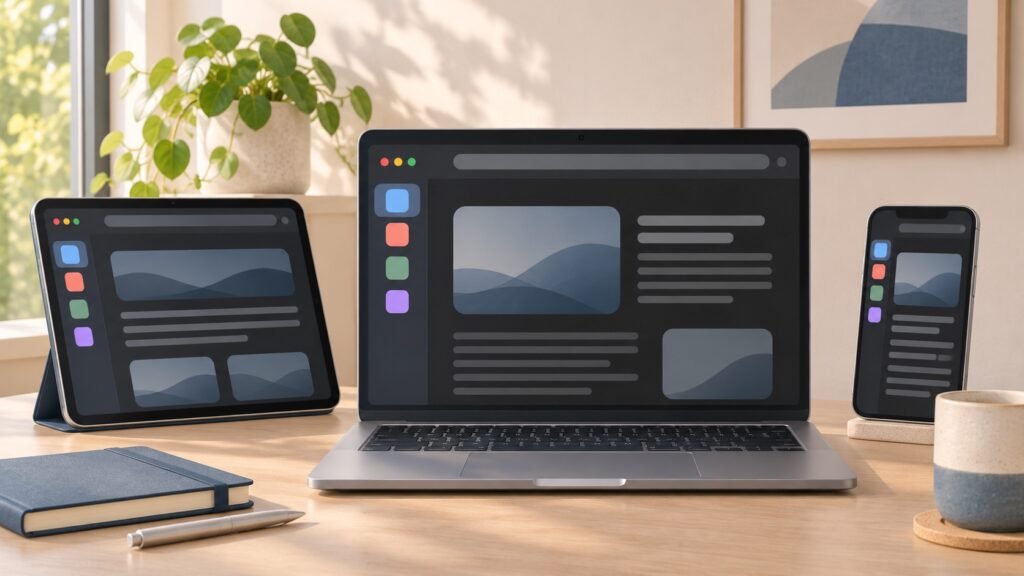
Safari vertical tabs are coming into focus in the Safari 27.3 beta, giving iPhone, iPad and Mac users another way to organise a crowded browser. Instead of squeezing open websites across a horizontal strip, the new option places them along the left side. A second addition, Adaptive Dark Mode, can make bright websites easier to view in dark surroundings.
Apple released the first 27.3 betas on 3 November 2026. These are confirmed beta features, not rumours—but they are not yet a reason for everyone to install unfinished software. Here is what changes and what everyday users should know.
What are Safari vertical tabs?
Apple’s Safari 27.3 beta release notes confirm a new vertical layout for navigating and managing tabs. It is an alternative presentation of your open pages, rather than a separate browser or a replacement for bookmarks.
According to 9to5Mac’s beta coverage, the sidebar initially shows compact website icons. You can widen it to display page titles, making similar-looking tabs easier to distinguish. The practical benefit is choice: keep the rail narrow while reading, or show more detail when switching between research, shopping and work.
This remains an optional design. You do not need to reorganise every browsing habit simply because Safari gains another layout.
Which devices and software are affected?
The main operating-system updates carrying these Safari changes are iOS 27.3, iPadOS 27.3 and macOS Golden Gate 27.3. Apple’s release notes also list Safari 27.3 beta availability for visionOS 27.3 beta, macOS 26 and macOS Sequoia.
That distinction matters for Mac owners: the Safari version and the macOS version are not always identical. Check the software offered for your particular Mac rather than assuming every browser update requires the newest macOS.
The cited release notes do not describe vertical tabs as an Apple Intelligence-only feature. Siri AI actions are separate and have additional hardware, language and regional requirements. A new tab layout should not be confused with the full set of AI capabilities.
For broader context, see our iOS 27 release guide.
How to try the new tab layout in the beta
The following locations are reported for the early 27.3 beta builds; Apple may change their names or placement before release.
On iPhone
- Confirm that you are already running the relevant iOS 27.3 beta.
- Open Settings → Apps → Safari.
- Look for the Vertical Tabs layout option.
- Return to Safari and compare the sidebar with your previous layout.
On iPad and Mac
Beta reporting identifies Safari’s View menu as another place to enable Vertical Tabs on iPad and Mac. Try it with several pages open: icons alone are compact, while an expanded sidebar can make page titles more useful.
MacRumors reports that the layout works with Tab Groups and Topics, and that familiar actions such as pinning tabs remain available. For a practical test, compare three similar product pages and see whether their titles are easier to find vertically.
What Adaptive Dark Mode changes
Turning on your device’s Dark Mode does not guarantee that every website stops displaying a white background. Adaptive Dark Mode addresses sites that lack their own dark appearance. Apple confirms that Safari can adapt bright pages for browsing at night or in dim surroundings.
In the early beta, reporting describes a Try prompt when Dark Mode is enabled and you open an eligible bright website. Safari can then adjust the page’s background, text contrast and other visual elements. You can apply the feature more broadly or use it for individual sites.
It is not simply a promise to invert every colour. MacRumors says Safari avoids activating it on sites that already have a dark design, and developers can opt their sites out.
Our practical advice is to check readability rather than assume the adaptation is always better. If a chart, photograph or important form looks wrong, compare it with the site’s original appearance. This is a viewing preference, not a guarantee of improved battery life or accessibility on every page.
Why these changes matter for everyday browsing
Vertical tabs could be particularly useful when researching a purchase, studying or keeping several work tasks open. A list with readable titles can be less frustrating than a row of tiny tabs. On smaller displays, however, a wider sidebar also competes with the webpage for space.
Adaptive Dark Mode solves a different annoyance: moving between a dark system interface and a dazzling website. Neither feature requires you to adopt AI-assisted browsing. For that separate development, read our guide to Siri AI app integrations in iOS 27.3.
Should you install the 27.3 beta?
For most people, waiting for the stable release is the sensible choice. These are useful convenience features, but they do not outweigh the risk of bugs on a device you depend on for banking, work or travel.
Apple’s Beta Software Program FAQ recommends using a secondary, non-critical device and backing up first. Follow Apple’s iPhone and iPad backup instructions, or make a Time Machine backup on Mac before testing.
For security, continue installing the appropriate stable updates listed on Apple’s security releases page. Do not confuse this interface preview with an urgent security advisory. A December release has been reported as an expectation, but the cited Safari notes do not give a final public launch date.
Final thoughts
Safari vertical tabs and Adaptive Dark Mode offer practical improvements without forcing a completely new browsing routine. Beta testers can explore them now; everyone else can wait for the finished software and decide which options genuinely improve their day.
FAQs
Are Safari vertical tabs available to everyone?
Not in the general stable release described here. They are documented in Safari 27.3 beta, and availability depends on your software version.
Do vertical tabs replace Tab Groups?
No. Beta reporting says vertical tabs work with Tab Groups; the feature changes their presentation rather than removing grouping.
Does Adaptive Dark Mode work on every website?
No. Existing dark designs and developer opt-outs can affect whether Safari applies it.
Do I need Apple Intelligence for vertical tabs?
Apple’s cited Safari notes do not state that requirement for the layout. Siri AI browsing actions have separate eligibility rules.