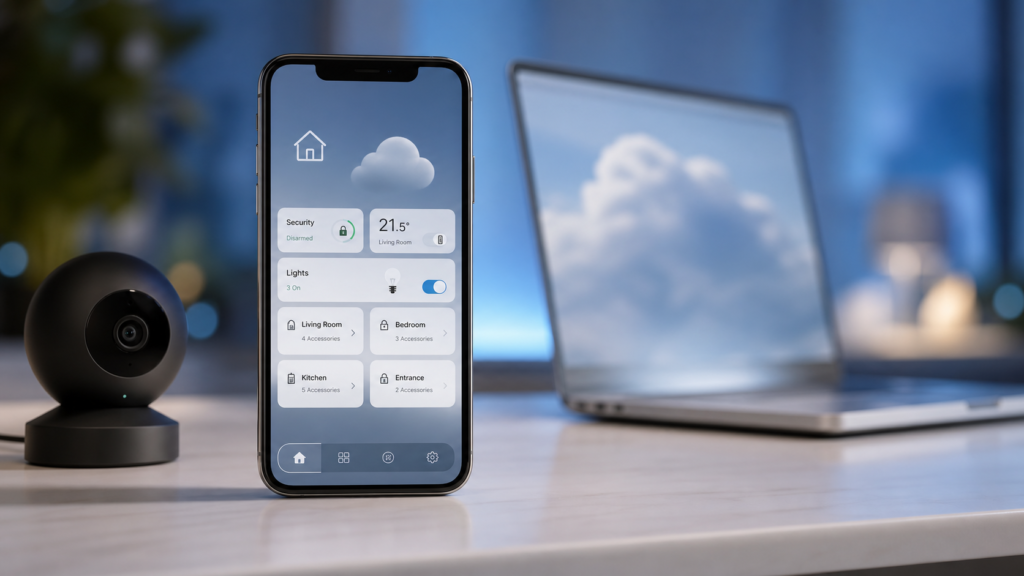
Apple Intelligence Home Features Need 2TB iCloud+
Apple Intelligence Home features are becoming clearer as Apple tests its next software updates, and one detail matters for smart-home users: the new AI-powered camera tools in the Home app appear to require an iCloud+ plan starting at 2TB.
The requirement was highlighted after Apple’s beta release notes for macOS 27 Golden Gate beta 3, with MacRumors reporting that the Home app’s Apple Intelligence camera features are tied to the 2TB iCloud+ tier or higher. Apple had already previewed broader Apple Intelligence upgrades at WWDC 2026 and said some expanded access would be connected to iCloud+ plans, including support for compatible Home cameras in its Apple Intelligence announcement.
For everyday users, this is not just a developer-note detail. It affects how useful Apple’s smart-home camera features may be, how much they cost, and whether upgrading to iOS 27, iPadOS 27, or macOS 27 will unlock everything you expect.
What are the Apple Intelligence Home features?
Apple is adding smarter camera tools to the Home app across its next major software releases. The headline idea is simple: instead of only showing raw camera clips and motion alerts, the Home app can use Apple Intelligence to help users understand what happened.
According to the beta details reported by MacRumors, the Home app can generate written summaries for motion alerts from HomeKit Secure Video cameras. It can also group footage from multiple cameras to provide a clearer overview of activity, highlight noteworthy recordings, and support natural-language search.
In practical terms, this could make the Home app feel less like a timeline of clips and more like a helpful assistant. You might be able to search for a phrase such as “delivery at the front door” or quickly review a summary instead of scrubbing through several motion events.
Why the 2TB iCloud+ requirement matters
The important catch is the reported iCloud+ requirement. Apple already requires a paid iCloud+ plan for HomeKit Secure Video, but the tiers currently affect camera support differently. The 50GB iCloud+ plan supports one camera, the 200GB plan supports up to five cameras, and the 2TB plan supports unlimited HomeKit Secure Video cameras.
The new detail is that Apple Intelligence Home camera features appear to start at the 2TB tier. That means a user with one or two cameras on a smaller iCloud+ plan may still be able to use HomeKit Secure Video, but may not get the new AI summaries and smarter search features unless they upgrade.
That distinction is important for households that only need a small amount of cloud storage. If your iCloud use is mostly photos, backups, and one security camera, a 2TB subscription may feel like a large jump for one set of Home app features.
How this affects iPhone, iPad and Mac users
The new Home features are expected to be part of the broader iOS 27, iPadOS 27, and macOS 27 software cycle. That means the main experience will likely be on iPhone, iPad, and Mac, with Apple Intelligence processing helping turn camera events into more readable summaries.
For iPhone users, this could be the most useful day-to-day improvement. Home camera alerts often arrive when you are busy, commuting, or away from the house. A short summary can make it easier to decide whether a notification needs attention immediately.
For iPad and Mac users, the benefit is more about review and management. A bigger screen is useful for checking multiple camera feeds, searching old recordings, or reviewing activity around the home. If Apple’s natural-language search works well, it could make HomeKit Secure Video far easier to manage.
If you are already exploring Apple’s next software updates, you may also find our recent guides useful: iOS 27 Public Beta: Should You Install It? and iOS 26.6 Release Date: Should You Wait?.
Key details to know before upgrading iCloud+
1. The feature is tied to compatible Home cameras
These Apple Intelligence Home features are about HomeKit Secure Video and compatible Home cameras. If your camera does not support Apple’s HomeKit Secure Video system, upgrading iCloud+ alone will not magically add these functions.
2. HomeKit Secure Video storage does not count against iCloud storage
One useful detail is that HomeKit Secure Video recordings do not count against the storage limit of your iCloud+ plan. So, if you subscribe to 2TB, that storage remains available for photos, backups, documents, and other iCloud data while HomeKit Secure Video is handled separately.
3. The features are still tied to upcoming software
These changes are connected to Apple’s upcoming software updates and beta release notes. That means details can change before the public release. Apple often adjusts features, wording, and availability during beta testing.
Should Apple users upgrade to 2TB iCloud+?
For most users, the best answer is: wait until the public software release unless you already need the storage or camera support.
If you already pay for 2TB iCloud+ or Apple One Premier, this requirement may not change much. You are likely in the right tier for the Apple Intelligence Home camera features when they arrive, assuming your devices and cameras are compatible.
If you are on the 50GB or 200GB plan, upgrading only makes sense if the new Home features are genuinely useful to your household. Users with multiple cameras, frequent motion alerts, or a need to search recordings quickly may find the AI summaries valuable. Users with one camera and simple security needs may prefer to stay on a cheaper plan.
Before making any paid change, check three things: whether your camera supports HomeKit Secure Video, whether your iPhone, iPad, or Mac supports Apple Intelligence, and whether Apple confirms the final iCloud+ requirement when the software leaves beta.
Final thoughts
The reported 2TB iCloud+ requirement makes Apple’s smart-home AI strategy more understandable, but also more expensive for some users. The features themselves sound genuinely useful: motion summaries, activity overviews, and natural-language search could make HomeKit cameras easier to live with.
Still, Apple users should treat this as a practical buying decision, not just a software feature. If you already use several HomeKit Secure Video cameras, the 2TB plan may fit naturally. If you only want occasional camera alerts, it may be worth waiting to see how good the final Apple Intelligence Home features are before upgrading.
FAQs
Do Apple Intelligence Home features require iCloud+?
Based on Apple beta notes reported by MacRumors, the new Apple Intelligence camera features in the Home app require an iCloud+ plan starting at 2TB.
Will the 200GB iCloud+ plan support the new Home AI features?
The 200GB plan supports up to five HomeKit Secure Video cameras, but the reported Apple Intelligence Home camera features require the 2TB tier or higher.
Which devices will get the new Home app features?
The features are expected with iOS 27, iPadOS 27, and macOS 27, but users will still need compatible devices, compatible Home cameras, and the required iCloud+ tier.
Should I upgrade iCloud+ now?
Most users should wait for the public release unless they already need 2TB storage or unlimited HomeKit Secure Video camera support. Beta requirements can still change.
Are these features confirmed or rumours?
Apple has officially announced broader Apple Intelligence support for compatible Home cameras, while the specific 2TB tier requirement comes from Apple beta notes reported by MacRumors.
Leave a Reply