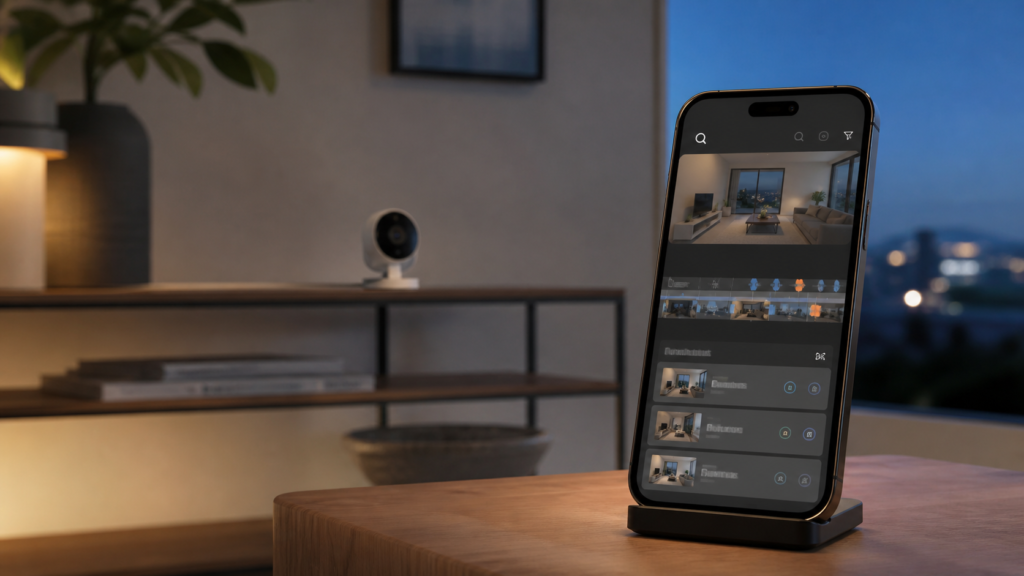
iOS 27 HomeKit Secure Video is shaping up to be one of Apple’s most practical smart-home upgrades in years. Apple is adding AI-generated video descriptions, natural-language search for recorded clips, smarter grouping of related activity and support for 4K streaming and recording on compatible cameras.
Instead of scrubbing through a long camera timeline to find a delivery, visitor or pet, users will be able to describe the event they are looking for. The Home app can also summarise selected footage before it is played. These features are part of iOS 27, which remains in beta, so availability and details may change before the final release.
What is changing in iOS 27 HomeKit Secure Video?
Apple’s official iOS 27 overview highlights four major improvements for the Home app’s camera experience:
- Generated video descriptions: the Home app can explain what happened across selected HomeKit Secure Video footage before you watch it.
- Natural-language clip search: users can search according to what happened rather than relying only on a date, time or basic motion category.
- Smarter activity handling: related notifications can be grouped, while notable clips can be surfaced more prominently.
- 4K camera support: supported HomeKit Secure Video cameras can stream and record at up to 4K resolution.
Apple also confirmed the new video intelligence tools in its Apple Intelligence announcement. The result is a camera history that should be easier to understand and search, rather than simply a collection of motion-triggered clips.
How AI camera search could save time
HomeKit Secure Video already lets users review recordings in the Home app, but finding one specific moment can require plenty of timeline scrolling. With iOS 27, a search could be based on a description such as a parcel arriving, a car entering the driveway or a pet moving through the living room.
The exact results will depend on what the camera captured and how accurately the system interprets it. AI descriptions should therefore be treated as a convenient index, not as definitive evidence of an event. If a clip matters for security, insurance or another serious purpose, watch the original recording and preserve it appropriately.
The generated summaries may be equally useful. A quick description can help you decide whether an alert needs immediate attention without opening every clip. Apple-focused reporting from MacRumors also notes that the Home app is gaining written summaries for camera activity.
Why 4K HomeKit Secure Video matters
Higher resolution can make details easier to see, especially when checking a face, package or vehicle at a distance. However, “4K support” does not automatically upgrade an existing camera. You will need a supported camera, suitable network performance and the relevant HomeKit Secure Video setup.
Image quality is also influenced by lens quality, lighting, compression and camera placement. A well-positioned lower-resolution camera can sometimes provide a more useful image than a poorly placed 4K model. Australian users shopping for a new camera should confirm local availability, HomeKit Secure Video compatibility and the manufacturer’s promised recording resolution before buying.
What you need to use the new features
Apple’s camera recording service is tied to iCloud+, while HomeKit Secure Video requires a compatible camera added to the Home app. Apple Intelligence features may also have device, language and region requirements. Check Apple’s current footnotes and compatibility information before assuming every iPhone or camera will support every new tool.
You should also make sure your home hub and other Apple devices are on compatible software when the final release arrives. Apple’s existing Home camera setup guide explains how to configure cameras, recording options and notifications.
If you are already testing the beta, see our iOS 27 beta 5 guide for broader update advice. Privacy-conscious iCloud users may also find our iCloud Private Relay guide useful, although Private Relay and HomeKit Secure Video are separate services.
Privacy and security considerations
A smarter security camera feature naturally raises privacy questions. Review which cameras can record, who can access the home, and which household members receive notifications. Avoid placing indoor cameras in private areas, use strong Apple Account security, enable two-factor authentication and remove access for people who no longer need it.
It is also worth checking camera firmware regularly. iOS 27’s Home app features do not replace updates supplied by the camera manufacturer. Keep the camera, home hub, router and viewing devices updated to reduce avoidable security risks.
Should you install iOS 27 now?
Most everyday users should wait for Apple’s final public release rather than install beta software on a primary iPhone. Betas can contain bugs, affect battery life and cause compatibility problems. iOS 27 beta updates are for testing; they should not be confused with urgent security patches for the current stable version of iOS.
If you decide to test the beta, back up your iPhone first and be prepared for features to change. Camera owners should avoid relying on beta software as the only way to monitor a critical location.
Final thoughts
iOS 27 HomeKit Secure Video turns the Home app into a more searchable and informative camera hub. AI descriptions can reduce unnecessary viewing, natural-language search can help locate moments faster, and 4K support should improve detail with compatible hardware. The real test will be accuracy and reliability once iOS 27 reaches its final release.
FAQs
Can iOS 27 search HomeKit camera clips by description?
Yes. Apple says users will be able to search for HomeKit Secure Video clips based on what happened in the recording. Results will still depend on the footage and the system’s interpretation.
Will every HomeKit camera record in 4K?
No. Apple specifies 4K streaming and recording for supported HomeKit Secure Video cameras. Existing hardware must explicitly support the feature.
Do I need iCloud+?
HomeKit Secure Video recording uses iCloud+. The appropriate plan and camera allowance depend on Apple’s current service terms in your region.
Is iOS 27 available as a stable update?
At the time of writing, iOS 27 is still in beta. Most users should wait for the final public release and keep their current stable iOS version updated.
Are AI-generated camera descriptions always accurate?
No AI summary should be assumed to be perfect. Review the original recording whenever the event is important.
Leave a Reply