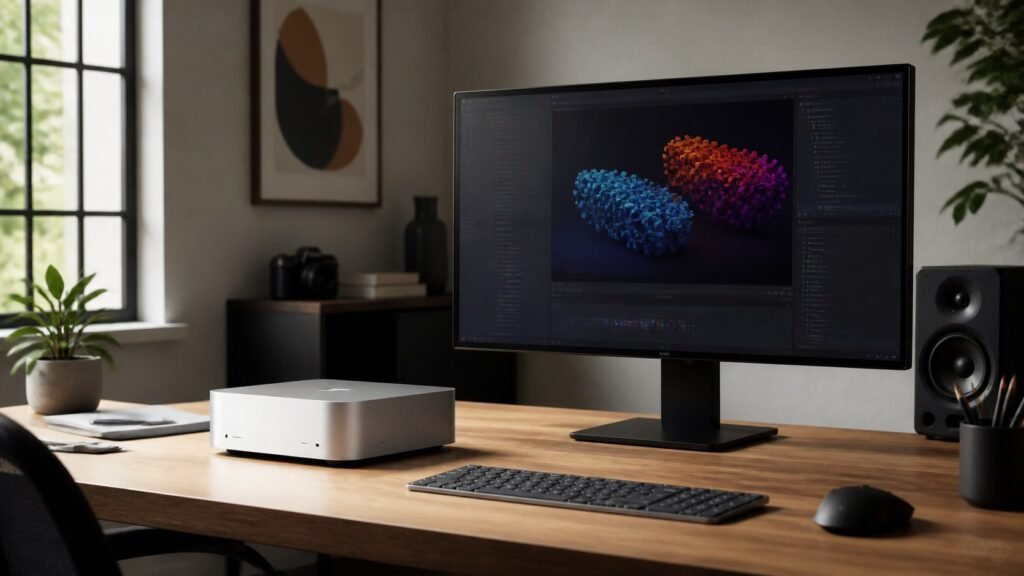
Apple’s new Mac Studio with M5 Max and M5 Ultra is built around one clear idea: putting more professional graphics and AI computing power directly on the desk. Announced on 25 August 2026, the compact desktop adds faster chips, much more unified memory at the top end, Thunderbolt 5, Wi-Fi 7 and Bluetooth 6.
For Australian buyers, pre-orders are open now and deliveries begin on 22 September. The M5 Max model starts at A$4,299 including GST, while the M5 Ultra version starts at A$9,499 including GST. Here is what changed, who the machine is designed for, and whether it makes sense to upgrade.
What is new in the Mac Studio with M5 Max and M5 Ultra?
The enclosure remains a compact desktop design, but the internal options have taken a substantial step forward. The M5 Max configuration offers an 18-core CPU, a GPU with up to 40 cores and as much as 128GB of unified memory. Apple has added a Neural Accelerator to every GPU core to speed up matrix calculations used by generative AI and other machine-learning workloads.
The M5 Ultra model scales to a CPU with up to 36 cores, an 80-core GPU and up to 512GB of unified memory. Memory bandwidth reaches 1.2TB/s. That unusually large shared-memory pool is important for developers and researchers who want to run large language models locally rather than continually sending data to cloud services.
Apple says M5 Ultra can deliver up to 4.3 times the peak AI compute performance of the previous M3 Ultra and up to 1.8 times faster graphics. These are Apple’s own benchmark claims, so real-world gains will vary by configuration, app and workload.
Key specifications and connectivity
- M5 Max: 18-core CPU, up to 40-core GPU and up to 128GB unified memory
- M5 Ultra: up to 36-core CPU, up to 80-core GPU and up to 512GB unified memory
- Storage: a new SSD architecture that Apple says is up to twice as fast
- Ports: up to six Thunderbolt 5 ports with bandwidth up to 120Gb/s
- Wireless: Wi-Fi 7 and Bluetooth 6 through Apple’s N1 networking chip
- Displays: support for up to eight displays, depending on configuration
- Media engine: hardware acceleration for H.264, HEVC, ProRes and AV1 decode
Thunderbolt 5 is more than a faster connector here. It supports high-speed external storage, docks and PCIe expansion chassis. Apple also supports RDMA connections between multiple Mac Studio systems, allowing teams to cluster machines for distributed AI inference. That feature is aimed at specialist labs and studios rather than typical home users, but it shows where Apple is positioning the product.
Why local AI performance matters
Many generative AI tools depend on remote servers, which can introduce subscription costs, upload delays and privacy questions. A high-memory Mac can keep compatible models and source material on the device. This can be useful when working with confidential code, unreleased media or regulated datasets.
The practical benefit depends on software support. Apple highlights its MLX framework and a new Core AI framework alongside macOS 27. Creative applications can also use the stronger GPU for image generation, effects, 3D rendering and video processing. Apple says an M5 Ultra Mac Studio can play up to 33 streams of 8K ProRes 422 video at 30fps, illustrating how far beyond everyday editing this hardware can go.
M5 Max or M5 Ultra: which should you choose?
Choose M5 Max for mainstream professional work
The M5 Max version should suit most software developers, photographers, musicians, designers and video editors who need sustained desktop performance. It offers the newer AI accelerators, plenty of GPU power and considerably more memory than a normal consumer Mac can provide. For many buyers, spending extra on memory or storage will be more useful than jumping to Ultra.
Choose M5 Ultra only for measurable heavy workloads
M5 Ultra is for work that can use its additional CPU and GPU cores, extreme memory capacity or expanded media engine. Think large local AI models, complex visual-effects renders, scientific computing and high-end multi-stream video pipelines. The A$9,499 starting price makes it difficult to justify for general productivity, web browsing or occasional creative work.
If you want a smaller and less expensive desktop, compare it with Apple’s newly announced model in our M6 Mac mini upgrade guide. The Mac mini is the better-value choice unless your apps can exploit the Studio’s additional memory bandwidth, GPU capacity and sustained performance.
Pros and cons
Pros
- Very high CPU, GPU and on-device AI performance in a compact enclosure
- Up to 512GB unified memory for unusually large local workloads
- Thunderbolt 5, Wi-Fi 7, Bluetooth 6 and broad display support
- Powerful media engines for professional video production
Cons
- High Australian starting prices, especially for M5 Ultra
- Display, keyboard and mouse are sold separately
- Most everyday users will not benefit from the Ultra configuration
- Apple’s headline performance figures depend on specific tests and configurations
Should you upgrade?
Owners of an M1 Max or Intel-based professional Mac may see a major improvement, particularly in graphics, video and local AI tasks. M3 Ultra and M4 Max owners should be more cautious: the upgrade is worthwhile only if benchmarks in the apps you use show a meaningful time saving or if you specifically need more memory, faster storage, Wi-Fi 7 or Thunderbolt 5.
Before ordering, check your current Activity Monitor data, project render times, memory pressure and storage needs. Also budget for a display and peripherals. The new Mac Studio is available to pre-order from the Apple Store Australia, with availability from 22 September; configurations with 512GB memory are due in late October.
Final thoughts
The Mac Studio with M5 Max and M5 Ultra is a specialised workstation rather than a general-purpose desktop. Its biggest advance is the combination of GPU Neural Accelerators and up to 512GB unified memory, which makes private, on-device AI a realistic option for demanding professional teams. M5 Max is the sensible configuration for most creators; M5 Ultra makes sense when time saved on a proven workload can offset its price.
Full technical details and Apple’s benchmark notes are available in the official Apple Newsroom announcement.
FAQs
When will the new Mac Studio be available in Australia?
Apple says deliveries and in-store availability begin on 22 September 2026. The 512GB unified-memory option is expected in late October.
How much does the M5 Mac Studio cost in Australia?
The M5 Max model starts at A$4,299 including GST. The M5 Ultra model starts at A$9,499 including GST. Custom memory and storage options cost more.
How much memory can the new Mac Studio have?
M5 Max configurations support up to 128GB of unified memory, while M5 Ultra configurations can be ordered with up to 512GB.
Is the M5 Ultra Mac Studio worth it?
It can be worthwhile for large local AI models, advanced VFX, scientific work and demanding 8K video workflows. For ordinary productivity and lighter creative work, M5 Max or the Mac mini will offer better value.
Does the new Mac Studio include a display?
No. Mac Studio is sold as a desktop computer without a display, keyboard or mouse, so include those items when calculating the total setup cost.
Leave a Reply